

Microsoft has officially confirmed the upcoming end of support for Office 2021, presenting millions of users worldwide with a critical decision regarding their productivity software. The technology giant announced that as of October 13, it will permanently cease providing technical support, software bug fixes, and vital security patches for this version of its office suite.
This decision marks the end of an era for one of Microsoft’s most popular standalone software packages. Once the deadline passes, Office 2021 will continue to function, but it will no longer receive the protective updates necessary to defend against modern digital threats. Furthermore, Microsoft will stop updating its online help resources and troubleshooting databases for this version, effectively leaving users to resolve any technical glitches or compatibility issues on their own.
For individuals, small businesses, and enterprise IT departments, this announcement serves as a prompt to evaluate their existing software infrastructure. Relying on unsupported software introduces significant security and operational risks, making a transition strategy essential.
What Awaits Office 2021 Users After the Deadline?
While the physical software will not suddenly stop working on October 14, continuing to use Office 2021 after its end-of-support date is highly discouraged by cybersecurity professionals. Without regular security updates, any newly discovered vulnerabilities in Word, Excel, PowerPoint, or Outlook will remain unpatched. Malicious actors frequently target legacy, unsupported software because they know security loopholes will never be closed, turning older installations into easy entry points for malware, ransomware, and unauthorized data access.
Beyond the immediate security implications, the end of support highlights a broader trend in how Microsoft manages its product lifecycles. Historically, the company offered a generous ten-year support window for its office suites, consisting of five years of mainstream support followed by five years of extended support. However, this window has shrunk dramatically over the past decade.
When Microsoft released Office 2019, the total support lifecycle was reduced to six years. With Office 2021, that period was truncated even further to just five years. This steady reduction in support longevity is a clear indication of Microsoft’s evolving business model, which increasingly prioritizes cloud-connected, subscription-based software over traditional, static desktop installations.
Exploring the Five Paths Forward for Affected Users
To navigate this transition, users and organizations have five distinct options, each offering a different balance of cost, security, and functionality.
1. Maintaining the Status Quo Without Support
The first and most immediate option is to simply do nothing and continue using Office 2021 in its unsupported state. For budget-conscious users or those with older computers, this may seem like an appealing choice because it requires no financial investment or installation effort.
However, this path comes with severe security trade-offs. Over time, as operating systems like Windows and macOS receive updates, unsupported versions of Office may experience growing stability and compatibility issues. Additionally, organizations that must comply with strict data protection regulations, such as GDPR or HIPAA, may find that running unsupported software violates compliance standards, potentially exposing them to legal and financial liabilities.
2. Upgrading to the Perpetual Office 2024 License
For users who prefer the traditional software ownership model, Microsoft offers Office 2024 as a direct upgrade path. Like its predecessor, Office 2024 is sold as a one-time purchase, meaning users pay a single upfront fee to license the software indefinitely without being tied to a monthly or annual subscription.
Office 2024 provides a modern, secure environment with updated features and improved performance tailored to contemporary operating systems. However, it is important to note that this version also comes with a finite support lifecycle. Furthermore, perpetual licenses do not receive ongoing feature upgrades; the features available at launch are the ones users will have for the lifetime of the product.
3. Transitioning to the Microsoft 365 Subscription Model
The third option, and the one most heavily promoted by Microsoft, is migrating to a Microsoft 365 subscription. Unlike the standalone Office suites, Microsoft 365 operates on a Software-as-a-Service (SaaS) model, requiring recurring monthly or annual payments.
In exchange for this subscription fee, users receive a highly integrated ecosystem that is always kept up to date with the latest security patches, bug fixes, and feature enhancements. Microsoft 365 also includes generous cloud storage via OneDrive, seamless cross-device synchronization, and advanced collaboration tools. For businesses that rely on real-time co-authoring and continuous integration with cloud services, this subscription model represents the most robust and future-proof solution.
4. Utilizing Microsoft’s Free Web-Based Office Applications
For casual users whose needs are limited to basic document editing, spreadsheet management, and presentation creation, Microsoft provides a suite of free online office tools. Accessible through any modern web browser, these web apps allow users to view and edit files without purchasing a license or subscription.
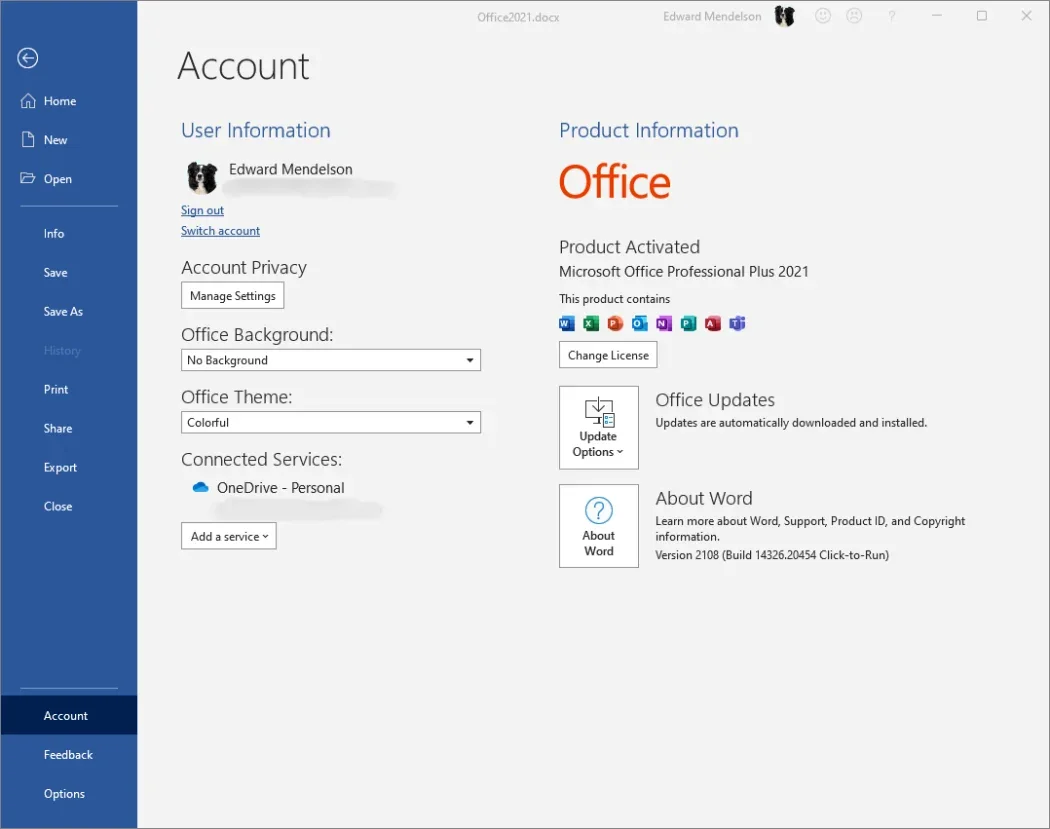
While these tools are highly accessible and automatically kept secure by Microsoft, they do have limitations. The web-based versions of Word, Excel, and PowerPoint are simplified counterparts to their desktop equivalents. They lack advanced features, such as complex macro execution, deep offline editing capabilities, and certain advanced formatting tools. Nevertheless, for everyday personal use, they represent a highly capable and cost-effective alternative.
5. Pivoting to Third-Party Productivity Alternatives
The final option involves stepping away from the Microsoft ecosystem entirely and adopting alternative productivity software. The modern software market features several highly mature alternatives that can easily handle standard office tasks.
Among cloud-based solutions, Google Workspace (featuring Google Docs, Sheets, and Slides) is a highly popular, free alternative that excels in collaborative environments. For users who prefer traditional desktop installations, open-source options like LibreOffice, OnlyOffice, and Collabora Office offer robust feature sets. These applications are designed to be highly compatible with Microsoft’s native file formats, such as .docx and .xlsx, allowing users to transition their existing workflows with minimal disruption.
The Strategic Shift Toward Subscription-Based Ecosystems
Microsoft’s decision to sunset Office 2021 after a shortened five-year lifecycle is not merely a technical necessity; it is a calculated business strategy. By shortening the lifespan of perpetual licenses, Microsoft is actively nudging its user base toward subscription-based platforms like Microsoft 365.
From a corporate perspective, the subscription model provides Microsoft with a highly predictable, recurring revenue stream while reducing the overhead costs associated with maintaining multiple legacy software versions. For users, however, this shift represents a fundamental change in how software is consumed, transforming it from an asset owned outright into an ongoing utility expense.
As the October 13 deadline approaches, the necessity of choosing a path forward becomes clearer. Whether users choose to remain within the Microsoft ecosystem by upgrading to Office 2024 or Microsoft 365, transition to free web tools, or migrate to open-source alternatives, taking proactive action is the best way to ensure digital security and operational continuity in a changing software landscape.