
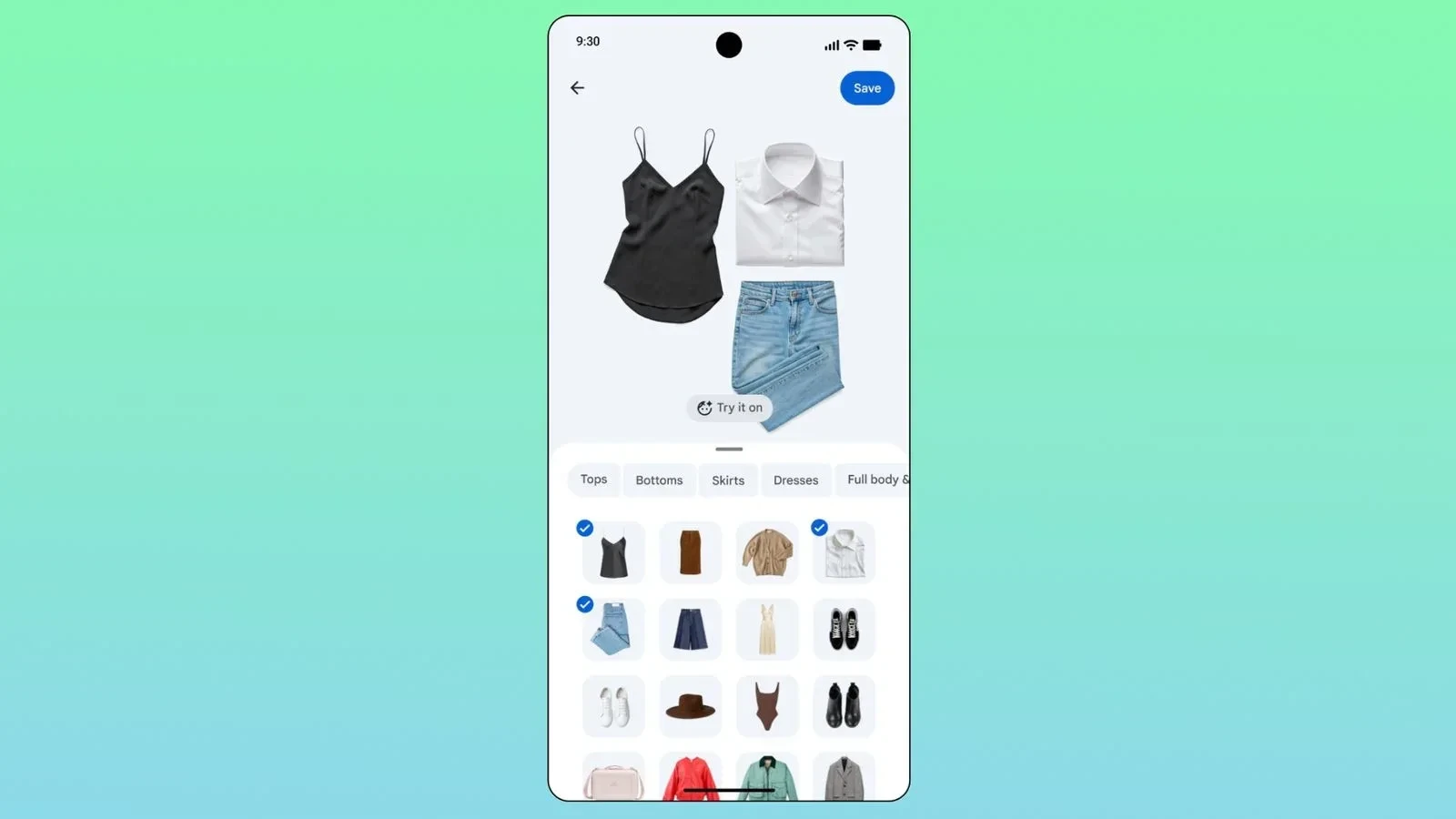
The intersection of personal organization, digital lifestyle, and artificial intelligence has reached a significant milestone. Google has officially expanded its ecosystem by bringing one of its most highly anticipated features to Apple users. The Google Photos "Wardrobe" feature, which allows users to curate a digital closet and seamlessly plan outfits, is now officially rolling out to iOS devices.
Previously exclusive to the Android operating system, this innovative utility is designed to transform how people interact with their clothing collections. By utilizing advanced image recognition, the application bridges the gap between memory preservation and daily lifestyle management.
Currently, the feature is being made available to iOS users in the United States, India, and Brazil. This targeted launch represents a strategic move by Google to test and refine the digital closet experience across diverse global markets with high smartphone penetration and active fashion-tech consumer bases before committing to a broader worldwide release.
The Digital Wardrobe Experience
At its core, the Google Photos Wardrobe feature acts as an automated personal stylist and inventory manager. Instead of requiring users to manually take photos of every single item in their closet—a tedious process that has historically limited the adoption of third-party digital wardrobe apps—Google’s system leverages advanced computer vision technology.
The software automatically scans the user’s existing photo library, identifying images that contain clothing items. It then isolates these garments, effectively cataloging the user’
s real-world fashion choices without requiring additional effort. This automated indexing is a major step forward in making digital fashion organization accessible to the general public.
Within the redesigned interface of the Google Photos app, users can locate this new utility under the "Collections" tab. Inside, a dedicated "Wardrobe" section serves as the central hub for all digitized clothing items. The intelligent system automatically processes the scanned images, categorizing garments into distinct folders such as upper wear (tops, shirts, jackets) and lower wear (pants, skirts, shorts). This categorization ensures that the digital closet remains clean, organized, and easy to navigate.
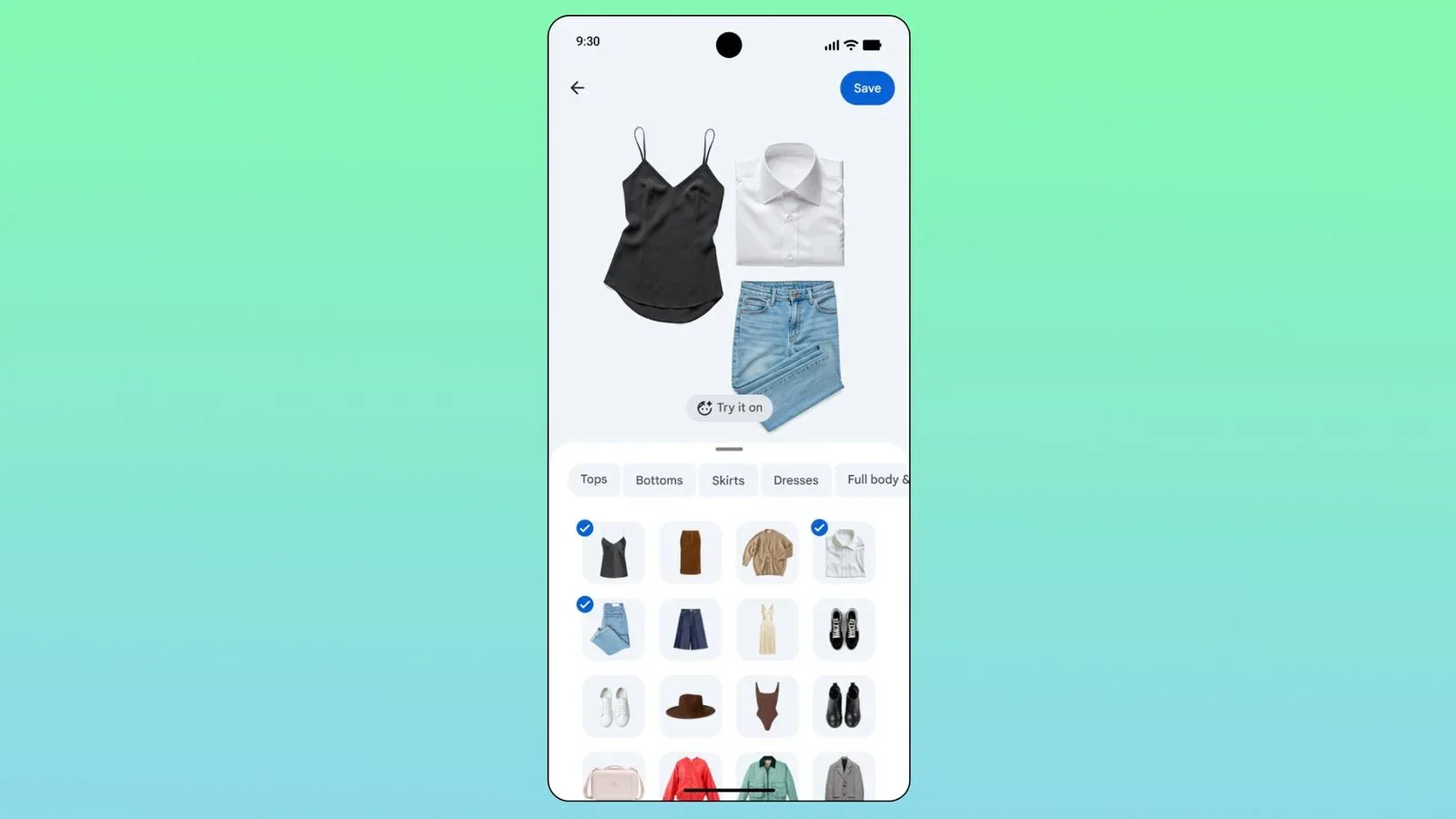
Once the library is populated, the true utility of the Wardrobe feature comes to light. Users can select different pieces of clothing to virtually mix and match them, creating entirely new outfits directly on their screens. This interactive, virtual try-on experience allows users to visualize how different colors, patterns, and styles complement each other without having to physically put them on.
Beyond individual planning, Google has integrated social and creative elements into the Wardrobe experience. The outfits and combinations created within the app can be easily shared with friends and family for feedback, making fashion a more collaborative experience. Additionally, users can save their favorite combinations to a personal mood board within the app. This is particularly useful for planning outfits for upcoming trips, special events, or seasonal transitions, allowing for a highly organized approach to personal style.
By identifying and cataloging individual garments from casual photos, Google Photos helps users maximize the utility of their existing wardrobes. It encourages mindful consumption by reminding users of pieces they might have forgotten, helping them find new ways to style older garments and ultimately promoting a more sustainable approach to everyday fashion.
New Templates for the Remix Feature
In tandem with the debut of the Wardrobe feature on iOS, Google has also rolled out a major update to its creative "Remix" tool within Google Photos. This tool is designed to help users transform their standard photographs into visually striking, stylized creations using advanced image-processing technologies.
With this latest update, Google has added 15 brand-new templates to the Remix toolset. These templates offer a diverse range of visual styles, giving users more creative freedom when editing their photos. Whether aiming for a vintage aesthetic, a modern minimalist layout, or a vibrant graphic design, the new templates provide a quick and accessible starting point for high-quality photo manipulation.
The primary appeal of the Remix feature lies in its efficiency. By automating complex editing processes, it allows users to achieve professional-grade visual results in a fraction of the time it would take using traditional desktop editing software. The addition of these 15 new templates expands the creative envelope, allowing users to experiment with different visual identities and storytelling formats.
For social media enthusiasts and content creators, this update is particularly valuable. The ability to quickly reframe, style, and polish images directly within the cloud library simplifies the content creation pipeline. Instead of jumping between multiple third-party editing applications, users can manage, edit, and export their stylized photos from a single interface.
This dual update highlights Google’s broader philosophical shift regarding Google Photos. The platform is no longer viewed merely as a passive storage locker for backing up files and freeing up local phone storage. Instead, Google is actively transforming the app into an interactive design assistant and utility hub. By integrating intelligent features like the Wardrobe organizer and advanced editing utilities like the expanded Remix tool, Google Photos is positioning itself as an essential lifestyle companion that actively adds value to the user’s daily routine.
As these features continue to roll out to iOS users in the initial launch regions, they are expected to change how consumers approach daily style curation and mobile photo editing. It remains to be seen how quickly Google will expand the Wardrobe feature to other regions, but the initial integration marks a sophisticated step forward in utility-focused consumer artificial intelligence.